Add or Edit a Saved Search
The Saved Search widget can list results from any saved searches for service requests, work orders, inspections, GIS, permits, and contracts, allowing the user quick access to the data.
 TIP: See Add a Saved Search to the Inbox for a quick start guide on this subject.
- Click Edit below the panel name.
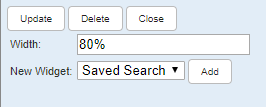
- Select Saved Search from the New Widget drop-down list.
- Enter a Width. This can be a percentage or the number of pixels.
- Click Add.
- Click Edit for the widget.
- Fill in the widget information. See Saved Searches Fields for more information about these fields.
- Click Close.
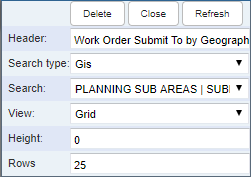
Widgets can be edited by clicking Edit in the upper-right corner of the widget.